How to Use Civics Fundamentals
Learn how to register, log in, start the Civics Fundamentals course, and use all the learning tools available on the website.
This step-by-step guide will help both students and educators navigate the platform easily.
- Register your free account
- Log in to your dashboard
- Start the Civics Fundamentals course
- Access Resources
- Track your progress
This Professional Development video provides a brief walkthrough of the Civics Fundamentals platform. It shows how to navigate lessons, complete quizzes, use flashcards and vocabulary, and track student progress. This overview helps educators quickly understand how to use Civics Fundamentals effectively in the classroom.
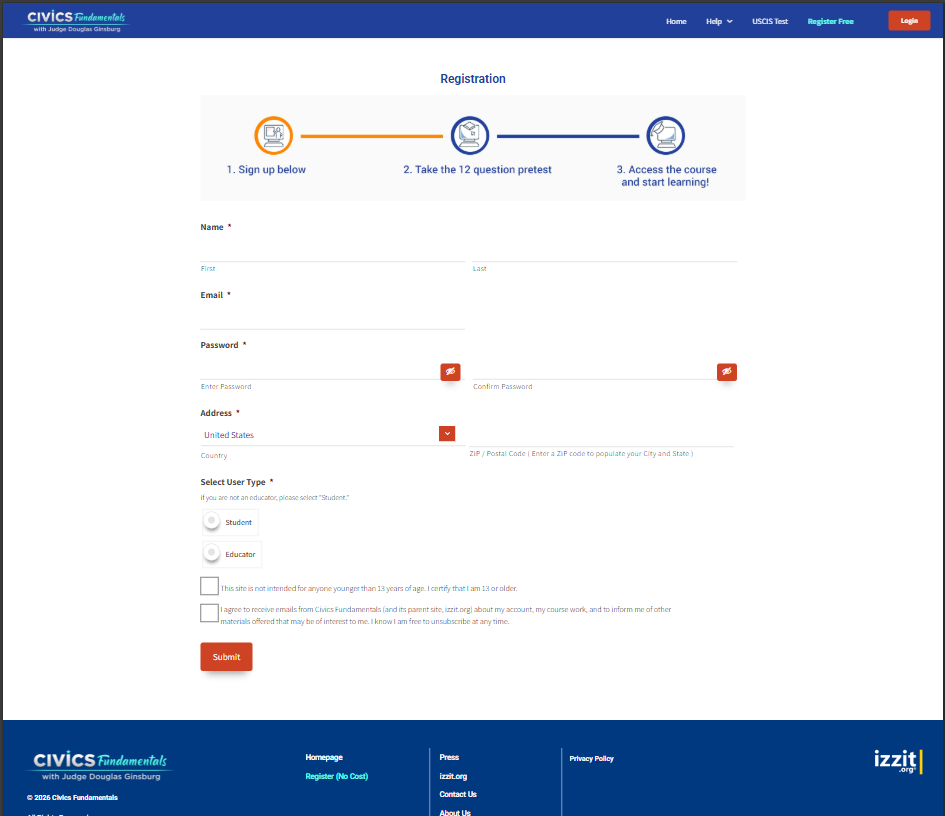
Registration Page — Create your free Civics Fundamentals account.
Step 1 — Register Your Free Account
To begin using Civics Fundamentals, you must first create a free account.
Fill out the registration form with your name(First, Last), email, password, Address, and select User Type(whether Student or Educator). After registration, you will be able to access the Civics Fundamentals course and track your progress.
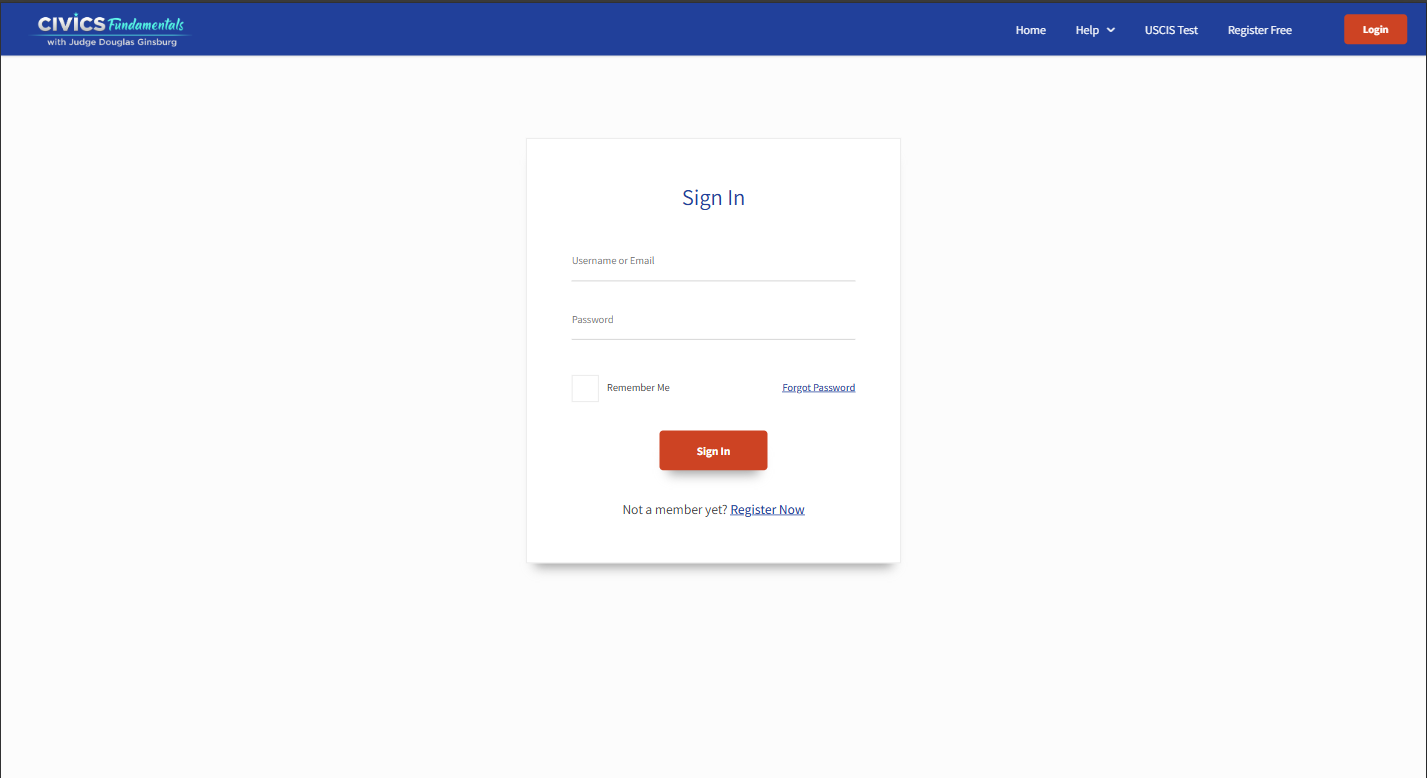
Login Page — Use your email and password to access your dashboard.
Step 2 — Login In to Your Account
After registration, log in to access your dashboard, start your course, and view your progress.
- Go to the Login page
- Enter your email and password
- Click “Login”
- You will be redirected to Home Page
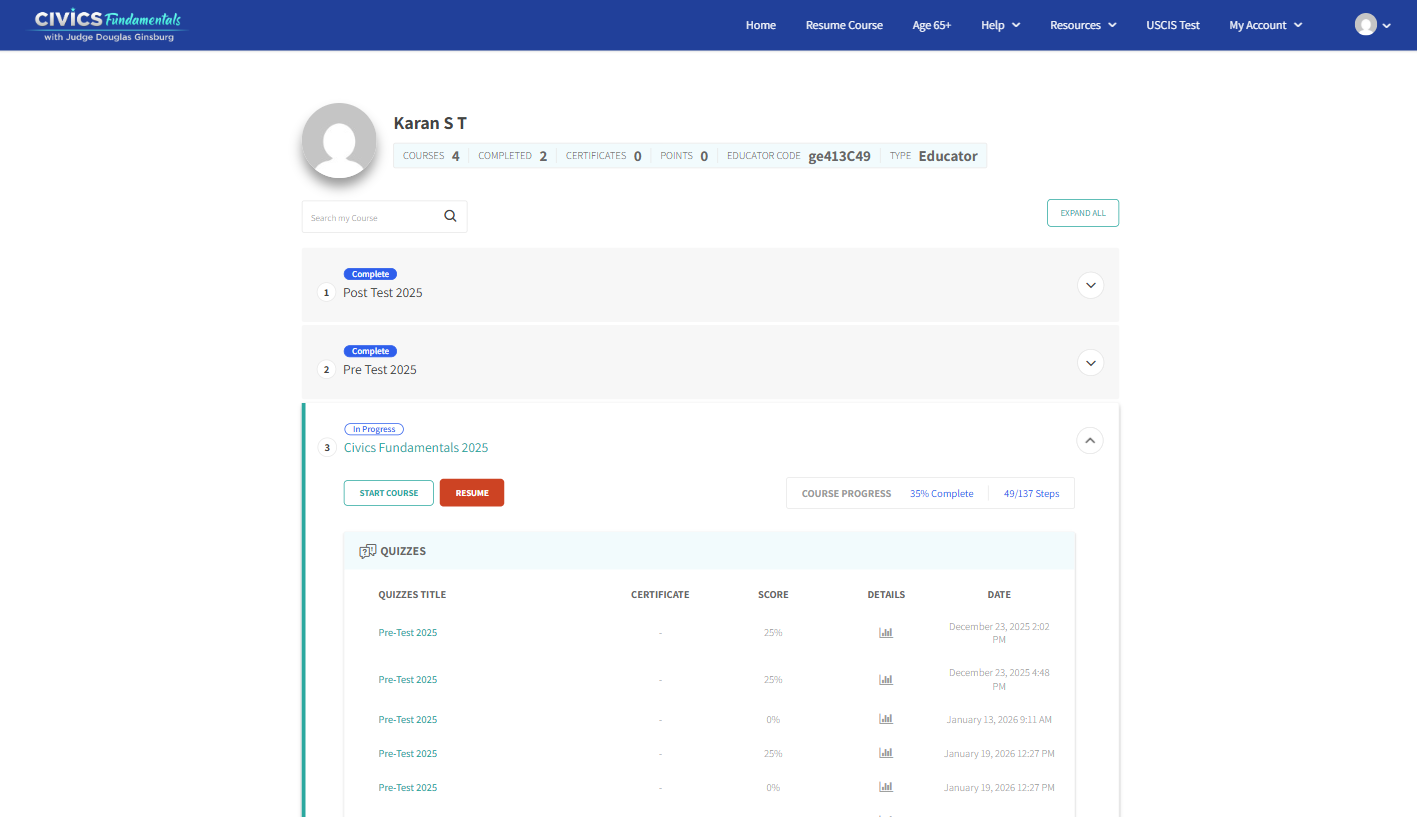
Dashboard — Start or Resume your Civics Fundamentals course.
Step 3 – Start or Resume Your Course
Once logged in, you can begin learning Civics Fundamentals.
You can start or continue your course from either the top menu or your dashboard.
- Click "Start Course" or "Resume Course" in the top menu
- OR go to My Account → Dashboard
- Click "Start Course" to begin
- Click "Resume" to continue where you left off
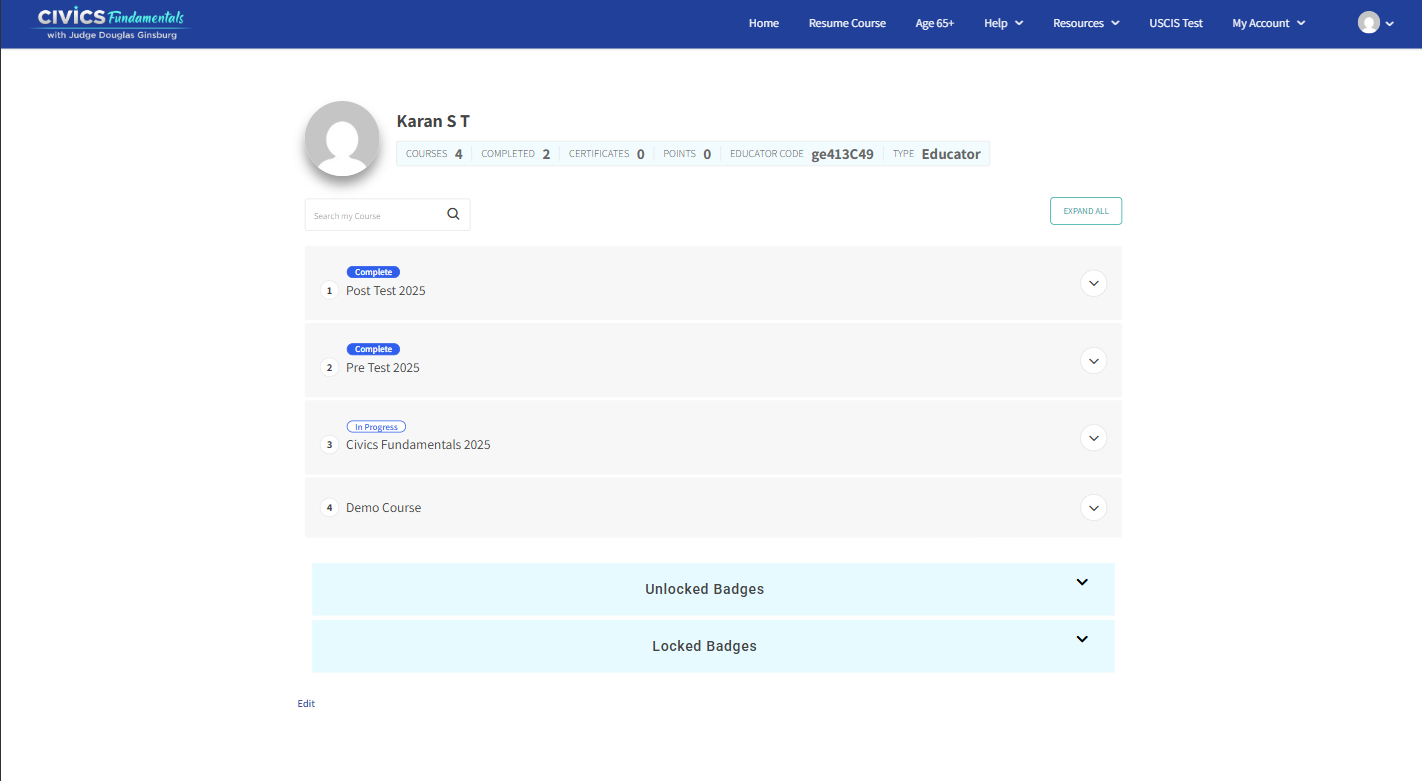
Dashboard overview
Start Course + Resume and Progress
Quizzes / Progress
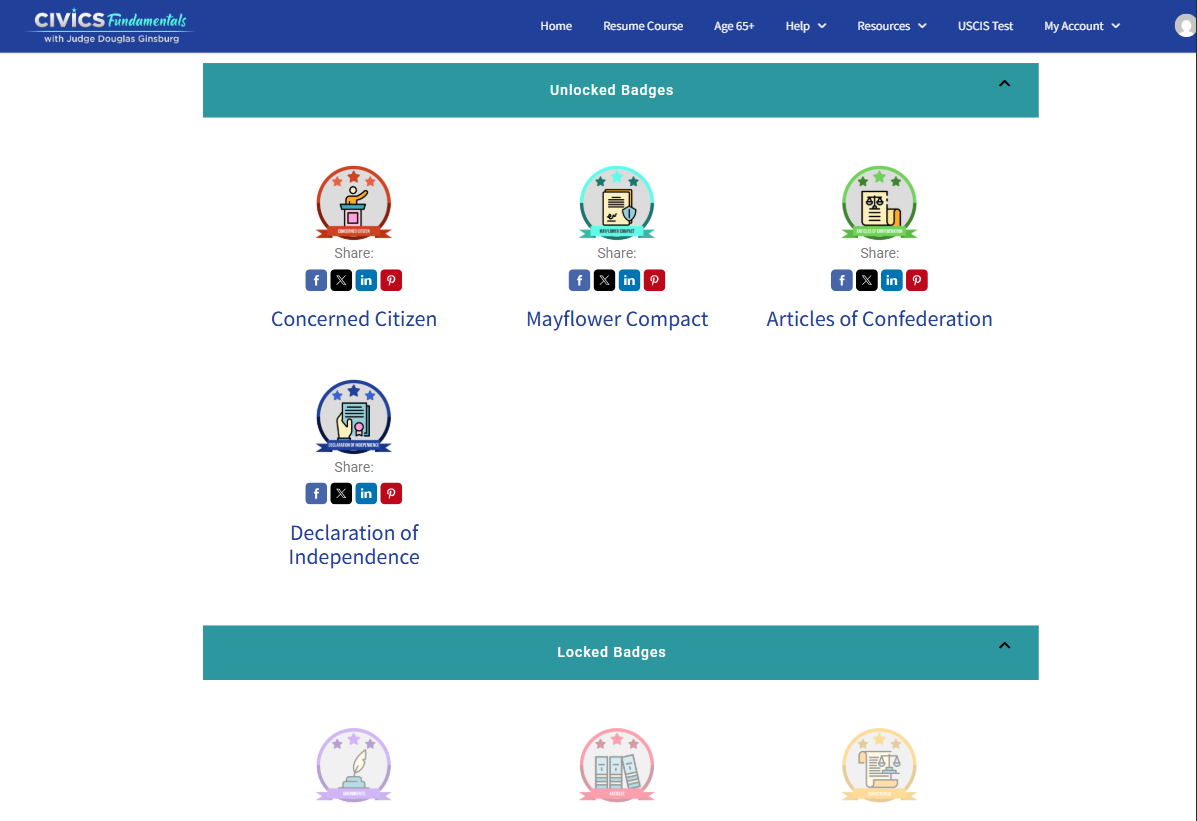
Achievements/Badges
Step 4 – Using Your Dashboard
Your dashboard shows your courses, progress, quizzes, and achievements.
This is where you track your learning and continue your Civics Fundamentals course.
- View your enrolled courses
- Track course progress and completion
- Resume lessons where you left off
- View quiz results and scores
- Access certificates and achievements
- Educators can access Class Dashboard
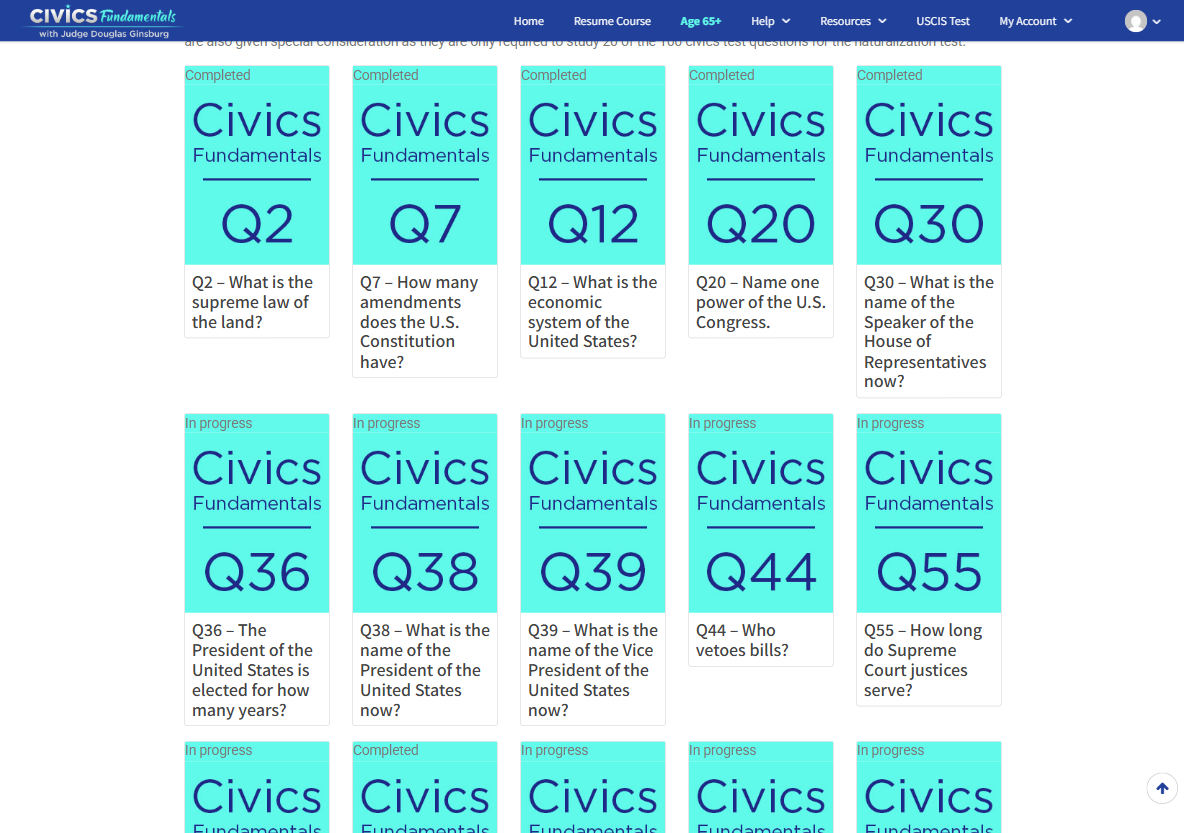
Age 65+
Step 5 — Age 65+ Mode
The Age 65+ section provides a simplified version of the Civics Fundamentals course designed for learners who qualify for the Age 65+ naturalization test. This version focuses on a smaller set of civics questions, allowing you to study more efficiently.
- Click Age 65+ in the top menu.
- You will see a grid of question cards.
- Each card represents one civics question.
- Each card displays:
- Question number (Q2, Q7, Q12)
- Question title
- Progress status
- Completed – Question finished
- In Progress – Question started
- Click any question card to open the lesson.
- Complete the lesson and return to continue.
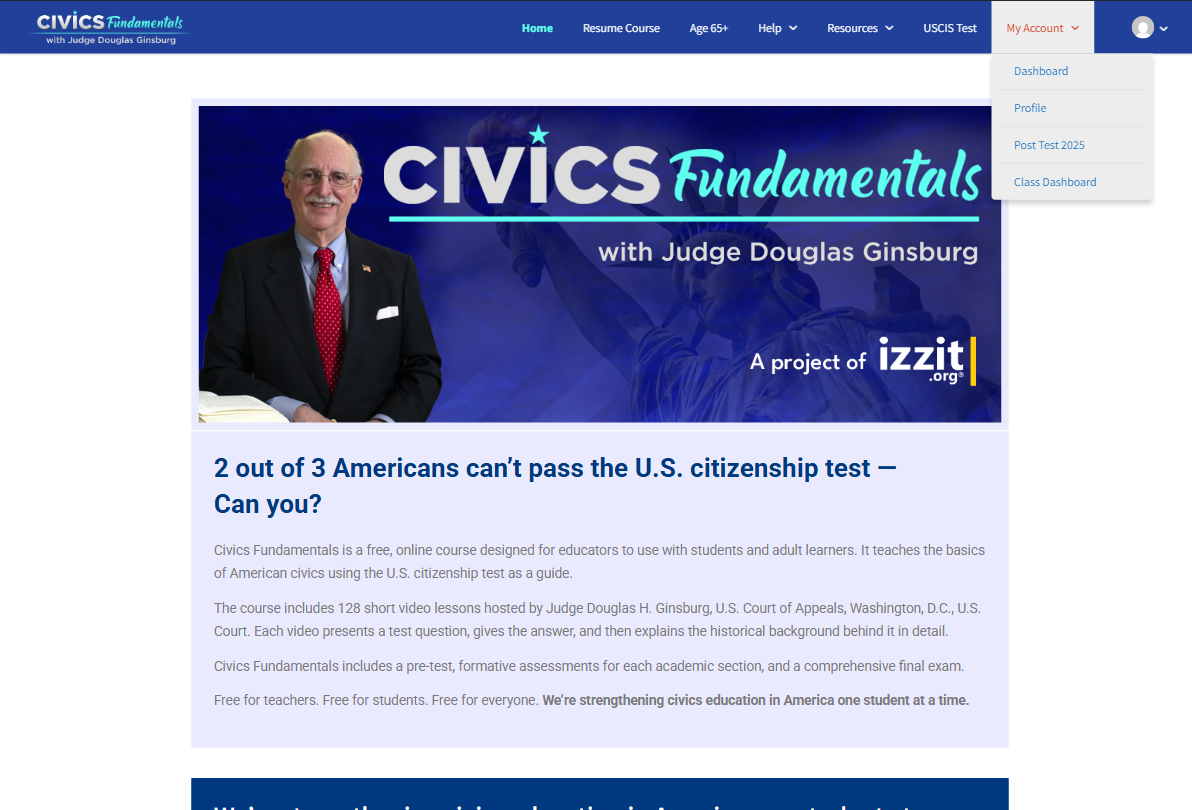
My Account Menu — Access your dashboard and account settings.
Step 6 — My Account Navigation
The My Account menu allows you to manage your account and access important learning features.
From this menu you can open your dashboard, update your profile, and access your test results.
1. Click My Account in the top menu.
2. Select one of the options:
Dashboard – View your courses and progress
Profile – Update your personal information
Post Test 2025 – Access your final test results
Class Dashboard – Available for Educators only
3. Select any option to open that page.
Step 7 – Use Learning Resources
Civics Fundamentals provides learning tools to help you study and prepare for the naturalization test. You can access these tools anytime from the Resources menu.
USCIS Test
Learn the real civics test questions with a link to all the contents and video explanation